November 24, 2010

JPEG 2000 seminar - edited highlights #2

This blog post continues my summary of the JPEG 2000 for the Practitioner Seminar (the edited highlights of the first five presentations can be seen in a previous blog post).

Following Svein Arne Brygfjeld's discussion of the National Library of Norway's use of JPEG 2000, we had Saša Mutić, General Director of Geneza, speaking about the "Practical Usage of JP2 Files with Presentational Web Interface."Saša, based in Slovenia, gave an overview and demonstration of the delivery system MediaINFO that uses a JPEG 2000 image server. This system is soon to be used by the National Library of Norway to deliver their digitised images. Some interesting features include the ability to easily share content, and to create "Personal Library" working spaces. There is also a demonstration of the system on YouTube.

Johan van der Knijff, from the Koninklijke Bibliotheek (National Library of the Netherlands), spoke about "JPEG 2000 for Long-Term Preservation in Practice: problems, challenges and possible solutions." He started off with an overview of the KB's investigations and use of JPEG 2000 (which started in 2007) and their current mass digitisation programme which will see the digitisation of around 14m images. Johan highlighted a number of issues with JPEG 2000 that although fairly minor in nature, are issues that should be addressed by either fixing deficiencies in the standard (particularly around colour profile support), or by changing the way software developers implement the standard (making sure that compressed files do indeed meet the standard). He stressed the importance of a strong user community and knowledge sharing as key to solving the remaining issues with the JPEG 2000 format.

Gary Hodkinson, Managing Director of LuraTech Ltd., gave a presentation entitled "Delivering High-Resolution JPEG2000 Images and Documents over the Internet." He provided a quick background of the company itself, which is German based, but has seen the recent establishment of a UK subsidiary. LuraTech's core business is document conversion and compression, and they supply a JP2 image compression tool called LuraWave. He gave an introductory background to image compression and image formats in general, what the key challenges are around compression, and how JPEG 2000 meets those challenges. He also gave further details on LuraWave, and the LuraTech Image Content Server, which works with JP2 to provide delivery of images to end users.

As the final speaker of the day, Katty van Mele, from IntoPIX, gave an informative talk on "Pros and cons of JPEG 2000 for video archiving". She covered a wide range of moving image applications for JPEG 2000, in the cinema, broadcasting and cultural heritage world. JPEG 2000 is the only format currently in use for digital cinema, while broadcasters are still working toward agreeing a suitable long-term format (JPEG 2000 being a leading contender). Katty stressed the fact that massive amounts of material in moving image formats already in existence and continually being created makes long-term storage and preservation a very serious problem. JPEG 2000 is increasingly now seen as the solution to the storage problem, and a number of other problems as well, such as royalty payments currently required to use MPEG for example. IntoPIX provides solutions for converting JP2s, including hardware-based compressors that are orders of magnitude quicker than software-based compressors.

During the course of the day, delegates were asked to write questions down and post them on whiteboards to raise during the final session of the day: questions and answers, moderated by Ben Gilbert, Photographer at the Wellcome Library. Ben posed the questions to the audience, alternating between technical issues (such as "What is the difference between a tile and a precinct"), to more philosophical questions (such as "Is it really feasible to store master archive images as lossy compressed files?"). This stimulated a good amount of discussion, which is impossible to adequately capture in a blog post!

Many thanks go to William Kilbride of the DPC for putting all the presentations online.


JPEG 2000 seminar - edited highlights #1

JPEG 2000 for the Practitioner seminar attracted a full house of 80+ delegates on 16 November at the Wellcome Trust.

The aim of the seminar was to look at specific case studies of JPEG 2000 use, to explain technical issues that have an impact on practical implementation of the format, and explore the context of how and why organisations might choose to use JPEG 2000. Follow the day as it unwound at Twitter #jp2k10.

Delegates were welcomed by Simon Chaplin, Head of the Wellcome Library, who briefly summarized the context of the Wellcome's digital library ambitions. I (Christy Henshaw) gave a quick introduction to the JP2K-UK group, and the origins of the seminar as one of the main outcomes from the group discussions. What follows is an edited highlights version of the talks given on the day; the full presentations are available on the DPC website.

The first talk, "What did JPEG 2000 ever do for us?" was given by Simon Tanner, Director of King's Digital Consultancy Service. The fact of the matter, according to Simon, is that although JPEG 2000 is "cool and froody", and has a lot to offer in terms of functionality and intelligent format design, those who use it are doing so because it can save them money. The economic benefits can not be underestimated for large scale digitisation - even though storage is relatively cheap these days, the total cost of owning a million images is quite high. Storing master files as JPEG 2000s can save an institution over £100,000 per year in terms of ongoing storage costs.

Richard Clark, Managing Director of Elysium Ltd., gave an overview of the JPEG 2000 standard, "JPEG 2000 Standardisation: A Practical Viewpoint." As the UK head of delegation to the JPEG Committee, Richard has been involved with developing the standard since its inception. Richard ran through the key features and functionality that can be achieved with the JPEG 2000 format (and its many parts), and explained the rationale behind the standard. He quoted the original objective, which was to develop an "architecturally based standard" that would enable flexibility for a wide range of uses, and he demonstrated that this was, in fact achieved. Although JPEG 2000 has a lot to offer the cultural heritage industry, that industry has not been well represented on the standards committees.

The next hour was taken up with the "Profiles" session. Sean Martin, Head of Architecture and Development at the British Library, kicked off with a description of the JP2 profile (i.e. the specific parameter settings) to be used for the British Library's newspapers project. Key to point out here is that the British Library has opted for lossy compression for its archival masters, stating that "it is also desirable that the same master file support the needs for both long term archival and also access." I followed with a brief summary of the compression aspects of the Wellcome Library's profile (our JP2 profile is available online), and how we determine the right level of compression. Like the British Library, we use lossy compression for our archival masters, and will use the same file for providing access. Bedrich Vychodil presented the new JP2 profiles for the National Library of the Czech Republic that will soon come into force for a wide range of materials. In contrast to the British Library and the Wellcome, the Czech National Library will use a different, lossless, profile for their archival masters, and a lossy profile for their access files. Delegates were provided with a list of these parameter settings, as well as several others, available online.

Petr Zabicka spoke about "IIPImage and OldMapsOnline", a development project carried out by the Moravian Library in the Czech Republic that uses JPEG 2000 to display large images, in particular maps. The imaging server they have devised is based on IIPImage and uses the tiles encoded into the JPEG 2000 format to provide speedy access to portions of the image when zooming and panning. More uniquely, they have developed a georeferencing application that allows the user to match points on historic maps with those on Google maps, and to overlay - and correct - old maps using the Google maps API.


After a well-deserved lunch, delegates heard Svein Arne Brygfjeld from the National Library of Norway speak about "Implementing JP2K for Preserv..." (his title was abbreviated in order to fit a picture of a glacier on the slide, but I am led to believe the title ended with "..ation and access, experiences from the National Library of Norway". The glacier provides a key to the talking point of Svein Arne's presentation - extremes. Located in the Arctic Circle, at Mo i Rana, the NLN is carrying out mass digitisation of newspapers and other materials, and has recently decided to store their master files as JPEG 2000 lossless files. Digitisation is such a large part of what the NLN does, that around 30% of the workforce is involved in digitisation.

Stay tuned for more edited highlights covering the second half of the seminar...

October 18, 2010

JPEG 2000 seminar - draft programme now available

Places are still available on the JPEG 2000 seminar to be held at the Wellcome Trust on 16 November.

Draft programme with timetable and confirmed speakers:

09:00 Registration, coffee
10:00 Welcome, introduction
Christy Henshaw, Wellcome Library, Chair of JP2K-UK

Morning session Chair: William Kilbride, Executive Director, Digital Preservation Coalition
10:10 What did JPEG 2000 ever do for us?
Simon Tanner, Director, Kings Digital Consultancy Service
10:40 JPEG 2000 standardization - a pragmatic viewpoint
Richard Clark, UK head of delegation to JPEG and MD of Elysium Ltd.
11:10 JPEG 2000 profiles
Five ten-minute presentations moderated by Sean Martin, Head of Architecture and Development, British Library
12:10 IIPImage and OldMapsOnline
Petr Zabicka, Head of R&D, Moravian Library, Czech Republic

12:40 LUNCH

Early afternoon session Chair: Dave Thompson, Digital Curator, Wellcome Library
13:40 JP2K for preservation and access, experiences from the National Library of Norway
Svein Arne Brygfjeld, National Library of Norway
14:10 Web presentation of JPEG 2000 images
Sasa Mutic, Geneza and Ivo Iossiger, 4DigitalBooks, Switzerland
14:40 JPEG 2000 for long-term preservation in practice: problems, challenges and possible solutions
Johan van der Knijff, Koninklijke Bibliotheek (NL)

15:10 Coffee

Late afternoon session Chair: Simon Tanner, Director, Kings Digital Consultancy Service
15:40 Delivering High-Resolution JPEG2000 Images and Documents over the Internet
Gary Hodkinson, MD of Luratech Ltd.
16:10 Pros and Cons of JPEG 2000 for video archiving
Katty van Mele, IntoPIX
16:40 Questions and discussion
Moderated by Ben Gilbert, Photographer, Wellcome Library

17:10 Concluding remarks

October 01, 2010

Guest post: Examining losses, a simple Photoshop technique for evaluating lossy-compressed images

Bill Comstock, Head of Imaging Services at Harvard College Library, writes a second post about using Photoshop to evaluate lossy compressed images.

If you decide to employ JPEG2000’s lossy compression scheme, you will also have to determine the degree to which you are willing to compress your files; you’ll have to work to identify that magic spot where you realize a perfect balance between file size reduction and the preservation of image quality.

Of course, there is no magic spot, no perfect answer -- not for any single image, and certainly not for the large batches of images that you will want to process using a single compression recipe. Regardless of whether you decide to control the application of compression by setting the compression ratio, using a software-specific “quality” scale, or by signal-to-noise ratio, you will want to test a variety of settings on a range of images, scrutinize the results, and then decide where to set your software.

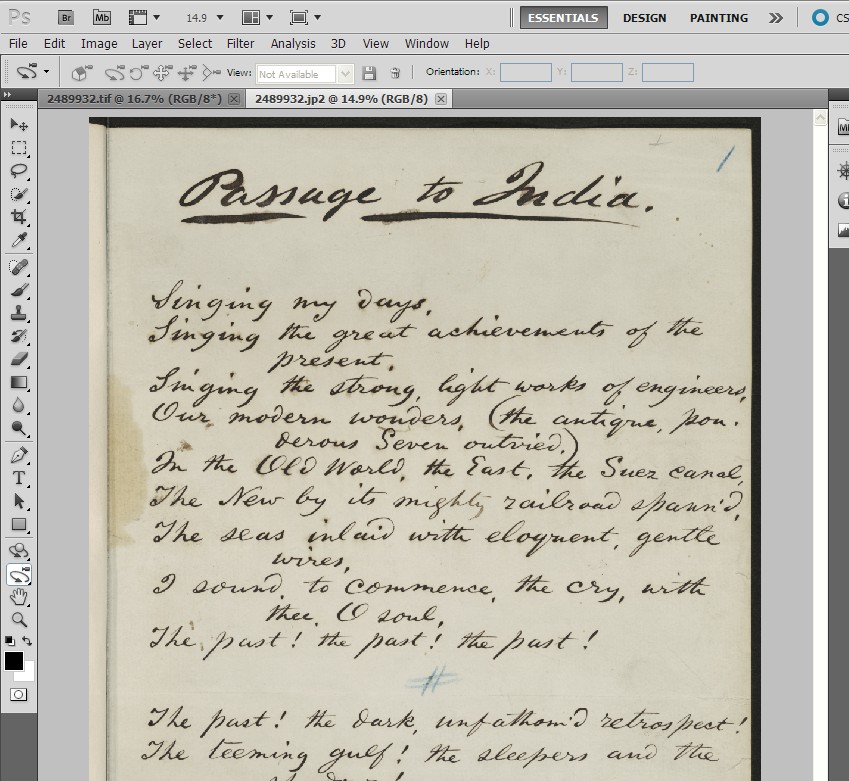
Below I describe a Photoshop technique for overlaying an original, uncompressed source image, with a compressed version of the image to measure the difference between the two, and to draw your attention to regions where the compressed version of the image differs most significantly from the source image. Credit for the technique belongs to Bruce Fraser.

1. First, open up the two images that you want to compare (the original source image, and the compressed JP2 derivative) in Photoshop.


2. Next, go to the “Image” menu and select “Apply Image”.


3. Set Blending to “Subtract”; Scale to “1”; and Offset to “128.“


4. The differences between the two images are now visible (you may need to magnify the image beyond 100%), and the standard deviation between the two copies can be displayed on the Histogram panel.

(A standard deviation of zero indicates that the two copies are identical and that the compressed version was losslessly compressed.)


Another option: You can also create a two layer image in PS where one layer is the source image, the second layer is the compressed copy, and by setting the blending option to “difference”. You may find the technique described in detail above preferable, if only because it makes the variance between the two copies more easily visible by shifting the pixel-to-pixel differences into the middle gray region.

Within the group that I manage, we modulate compression using PSNR. We test each candidate setting on a large number of images and then examine some number of the least and most compressed images in the set. We repeat the process until we have zeroed in on what seems to be the best setting.

Good luck!

September 20, 2010

Calling all JPEG 2000 profiles

We plan to provide delegates of our JPEG 2000 Seminar (16 Nov) with a list of JPEG 2000 profiles from a number of organisations who are currently using the format. Some of these will be briefly presented during a "Profiles" session on the day.

Do you have a profile you are currently using, and would like to distribute to your peers? If so, please send the following details to Christy at c.henshaw@wellcome.ac.uk.

The specific information we're looking for includes:

Used for: (e.g Newspapers)
Conversion software used: (e.g. Kakadu)
File format: (e.g. Part 1 (.jp2)
Lossy or lossless: (choose)
Typical compression: (expressed as a ratio)
Tiling: (e.g. 1024 x 1024)
Progression order: (e.g. RPCL)
No. of decomposition levels: (e.g. 6)
Number of quality layers: (e.g. 12)
Code block size (xcb = yxb): (e.g. 6)
Transformation: (e.g. 9-7 irreversible filter)
Precinct size: (e.g. 128 x 128)
Regions of interest: (yes or no)
Code block size : (e.g. 64 x 64)
TLM markers: (yes or no)

September 14, 2010

New Wellcome Digital Library blog

The Wellcome Library has launched a new blog (wellcomedigitallibrary.blogspot.com/), centered on the development of the Wellcome Digital Library. The blog will be a "a real-time progress report, discussion outlet, and notification area."

This JPEG 2000 blog will still remain focused specifically on the work being done around JPEG 2000 at the Library, but the Wellcome Digital Library blog will provide much broader information on the programme, including:

  • What will be digitised, and how the content will be of use to researchers.
  • How we will facilitate research activity, learning, and discovery.
  • Logistics of digitisation and workflows.
  • In-house vs. outsource options.
  • Metadata.
  • Long-term data management.
  • Delivery formats, speeds, and functions.

September 10, 2010

Guest post: JPEG2000 recipes for the Aware encoder

As our first guest poster, Bill Comstock, Head of Imaging Services at Harvard College Library, writes about the specific "recipes" used at Harvard for producing JPEG2000 images.

I needed help remembering when it was that we began making JPEG2000 images. I ran a search against the Harvard Library’s preservation digital repository, DRS, and it looks like we first deposited a JP2 image in 2004.

Over the intervening six years, we’ve refined and settled on a single recipe that we use to produce lossy-compressed images, and another that we use to produce losslessly-compressed JP2s. I’ll share these recipes with you below. My reasons for sharing are two:

1) Depending upon the software used, there are many encoding combinations to consider - many more than one would have to consider when cooking up the more familiar and less complex TIFF. My group uses the Aware JPEG2000 SDK encoder. Flipping through Aware’s 330 page manual (“AccuRad J2KSuite Developer’s Guide”), I count...152 different command line options. In sharing our recipes (the combination of options and parameters that we invoke ), I’d like to speed others along in developing their own encoding formulations and JP2 production workflows.

2) Not only are there many encoding options to consider, but some are complex and a bit intimidating. Honestly, I don’t know what the “--set-input-raw-channel-subsampling” or “--set-output-j2k-rd-slope” options do. I do think that I understand the options that we use, but I may hear from one of you that my understanding is flawed and that our recipe could be improved upon, or at least better understood and explained. Here you go.

Lossless encoding (Windows command line)

j2kdriver.exe --set-input-image --set-output-j2k-color-xform YES --set-output-j2k-error-resilience ALL --wavelet-transform R53 --set-output-j2k-bitrate 0 --set-output-j2k-progression-order RLCP --tile-size 1024 1024 --output-file-type JP2 --output-file-name

Notes on individual options:

  • “--set-input-image ” reads file into the encoder's memory-buffer and auto-detects the input file format
  • “-- set output-j2k-color-xform YES” I believe that one does not need to call this option explicitly; YES seems to be the default value. The transform referred to here is a colorspace transformation from RGB to YUV. This conversion is made prior to compressing the data. Applying compression to YUV data is more efficient, yielding smaller files than the same compression applied to the unconverted RGB data.
  • --set-output-j2k-error-resilience ALL This function will take the following parameters, each explained below by Aware’s Alexis Tzannes.
  • SOP to enable Start of Packet markers
  • EPH to enable End of Packet Header markers
  • SEG to enable segmentation symbols
  • ALL to enable all of the above
  • NONE to disable all of the options
  • Resynchronization markers: Start of Packet (SOP), End of Packet Headers (EPH). These are used to signal the beginning of each packet and the end of each packet header, and can be used to resynchronize in the case of missing or corrupted data. This allows the decoder to detect and discard entire corrupted packets. So the SOP and EPH are basically tags that signal the beginning and end of a packet (a piece of coded data) in the file. If a packet gets corrupted the error resilient decoder can resync using the next SOP packet marker. The idea here is that if one packet in a file is bad, we don't lose everything that comes after it (as was the case with original JPEG). With JPEG 2000, you could lose a packet and have a small area of the image go bad, but the decoder can recover and keep on decoding.
  • Segmentation symbols: this adds a special four symbol code to specific locations in the compressed data stream, enabling error resilient decoders to detect errors, if this symbol is corrupted. This allows the decoder to detect and discard corrupted bitplanes. So this is similar, but less granular, as it operates at the bitplane level, each bitplane may include multiple packets. Overall, these features would be useful in noise prone environments or over unreliable networks.
  • --wavelet-transform R53” specifies use of the reversible "integer 5-3 filter" (compression) to produce a losslessly encoded JPEG2000 file.
  • --set-output-j2k-bitrate 0 Quoting from the “AccuRad J2KSuite Developer’s Guide”: “Sets the output image bitrate, in bits per pixel. A bitrate of 0 indicates that all the quantized data should be included in the image. This creates lossless images if the R53 wavelet is chosen Sets the output image bitrate, in bits per pixel. A bitrate of 0 indicates that all the quantized data should be included in the image. This creates lossless images if the R53 wavelet is chosen [...].”
  • “--progression-order RLCP” “For a given tile, the packets contain data from a specific layer, a specific component, a specific resolution, and a specific precinct. The order in which these packets are interleaved is called the progression order. The interleaving of the packets can progress along four axes: layer, component, resolution and precinct.” [1] A progression order that begins with “R” (resolution) indicates that the data is organized so that low resolution information will be decoded first, followed and augmented by the remaining higher resolution data in the codestream.
  • --tile-size 1024 1024 This tile size was prescribed, as it was said to be optimally matched to the software our library uses to dynamically generate and deliver JPEG files from stored JP2 masters.

Lossy encoding

j2kdriver.exe --set-input-image-file --set-output-j2k-color-xform YES --set-output-j2k-error-resilience ALL --wavelet-transform I97 --set-output-j2k-progression-order RLCP --set-output-j2k-psnr 46 --tile-size 1024 1024 --output-file-type JP2 --output-file-name

  • --wavelet-transform I97” specifies use of the “irreversible 9-7 filter” to produce a lossy encoded JPEG2000 file.
  • “--set-output-j2k-psnr 46” The pSNR function was selected because it effectively, although imperfectly, modulates the level of compression applied to each image based on the image's particular characteristics: the arrangement and variability of raster values. When we set the pSNR value to 46 db for the page-images that we create, we've come to expect a very high-quality encoded image. There are cases (certain kinds of photographs, illustrations with fine thin lines) where a 46 db setting would produce a too heavily compressed file. Too guard against over-compression, we have developed an effective (although a bit crude) method for dynamically resetting the db value if the file appears to have been too heavily compressed. This is a topic for another day.
  • I believe that most users set a fixed compression ratio, e.g., “--set-output-j2k-ratio ”.

Creating a Windows batch file

If you would like to run your encoding script over a directory of TIFF images (for example), you can create a simple batch file.

Example:

for %%f in (*.tif) do j2kdriver.exe --set-input-image-file "%%f" --set-output-j2k-error-resilience ALL --set-output-j2k-progression-order RLCP --set-output-j2k-ratio 8 --tile-size 1024 1024 --output-file-type JP2 --output-file-name "%%~nf.jp2"

Good luck putting together your own recipes and workflows. Again, please let me know if you have any suggestions for improving our practice.

[1] SO/IEC JTC1/SC29 WG1, JPEG 2000 Editor Martin Boliek, Co-editors Charilaos, C. and E.Majani. "JPEG 2000 Part I Final Committee Draft Version 1.0.", 2000, http://www.jpeg.org/public/fcd15444-4.pdf (accessed September 3, 2010).

Bill Comstock
Head, Imaging Services
Harvard College Library
Widener, D70C
Harvard Yard
Cambridge, MA 02138
http://imaging.harvard.edu/